Buying the New M5 Ultra Mac Studio with 512 GB of Memory
I ordered an M5 Ultra Mac Studio with 512 GB of memory and an 8 TB SSD. At $25,799, it cost more than twice what I paid for my M3 Ultra. I had to pause at checkout. Here’s why I bought it anyway, and what I want to learn from running local models and agents across the two machines.


In February, I wrote about running OpenCode with local LLMs on my M3 Ultra Mac Studio. It became one of my most-read posts on Medium. In a reply to a reader, I said I’d definitely look at an M5 Ultra if Apple offered one with at least 512 GB of memory, hopefully 1 TB or more. In the meantime, I found that Apple had stopped selling the 512 GB M3 Ultra, which made me somewhat nervous. I suspected there were supply issues, and when Apple announced the M5 Ultra on August 25, the largest memory configuration available was only 256 GB. Frankly, I was frustrated until I read the fine print: the 512 GB version would be available in late October.
As a long-time Apple fanboy, I guessed it would become available around the time Apple announced new hardware in late October. So, on October 28th, while everyone was looking at the new PROLED MacBook Pros with touchscreens, I went back to the Mac Studio store page. Sure enough, the 512 GB option was there. I selected it, added an 8 TB SSD to match my current M3 Ultra, and went straight to checkout without any hesitation. Then I saw that the price was $25,799. My fingers had been flying because I thought I would buy it at all costs, but when I saw that number, I stunned and had to stop for a few minutes.
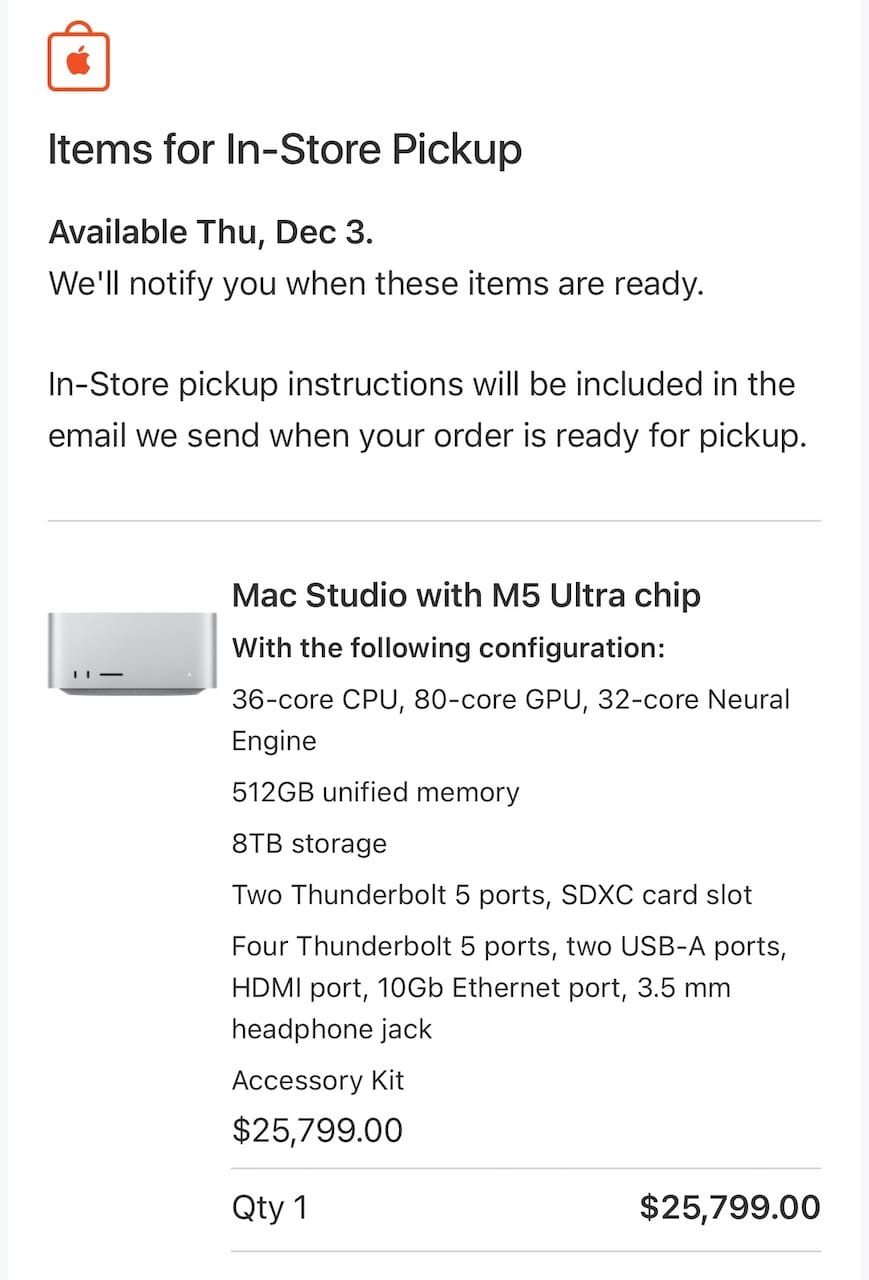
I’m used to how Apple prices its Macs. Usually, I can buy the next generation for about what I paid for the previous one. I paid $11,699 for my M3 Ultra with 512 GB of memory and 8 TB of storage about two years ago. I knew memory had gotten expensive, so this time I was ready to pay around $20,000. Even with that in mind, it was a surprise to see that the same amount of memory and storage now cost more than twice as much.
What made me go ahead anyway was that I knew how hard it had become to buy the Mac I already owned. I’d seen 512 GB M3 Ultras sell for $18,000 to $22,000 on the secondhand market. I expect the release of the M5 Ultra will bring those prices down some, but I wouldn’t be surprised to see one sell for more than I originally paid. A year ago, I thought nearly $12,000 was a lot to spend on a Mac. Now I’m glad I bought it when I could.
I think about this when I hear people talking about an AI bubble. One concern is that companies will spend all this money on AI infrastructure and see too little improvement in productivity. However, I believe this is another major turning point in my lifetime (now that I’m in my 50s, I think I’ve already lived through a few). That makes me wonder about another possibility. What if the demand is there, but we simply can’t make enough memory and GPUs to meet it? A company can raise all the money it needs and still have to wait for the hardware. I think hardware prices will stay high for a while, if they don’t skyrocket even further. I’d already seen Apple drop the configuration I wanted once, so I placed the order. I think I got one of the first batches.
The wait before the first token
When people talk about running a local LLM, they usually mention how many tokens it generates per second. On my M3 Ultra, I was generally happy with how fast the answer came once the model started writing. What bothered me about using local LLMs was how long I had to wait for the response to start. I could ask one short question about my code and spend much of the turn looking at an empty terminal, sometimes for several minutes.
The part I hadn’t appreciated before was how much the model had to read. Along with my question, OpenCode (or my own agent frameworks) could send instructions, source files, and the output of a command. The model processes the new input before it can generate the first token. That’s called prefill. If the agent runs another command, the model has more to read before it can decide what to do next. I might go through that wait several times for a single change.
That’s why one number in Apple’s announcement caught my attention. In its LM Studio test, Apple measured up to 4× faster prompt processing on the M5 Ultra than on the M3 Ultra. For a bigger model, I’ll have to use both Macs as a cluster, and the M3 Ultra will still be doing part of the work. I don’t expect a 4× gain from this mixed M3/M5 setup. My guess is closer to 2×, but I’d love to try it and find out.
For a broader overview of the M5 Ultra’s performance, see Alex Ziskind’s video.
What I want to do with two Studios
The most obvious reason to buy this much memory is to run a frontier model at home. Meta showed Muse Spark Open running on two 512 GB M5 Ultra Mac Studios with MLX. It has 816 billion parameters. At four bits per parameter (Q4), that’s roughly 408 GB for the weights before quantization overhead. The software needs memory too, and every agent working on a different task needs space for its own conversation. I’d love to see a model that large run on my desk. For everyday use, though, I worry that running one large model across both Macs would leave too little memory and computing power for other tasks. If several agents use that model at the same time, they’ll also have to share the available capacity.
My interest goes beyond running a frontier model locally. My main reason for buying the second Mac is personal research. I wrote my series on building a local-first agent framework in Rust because I wanted to understand how these systems work. Now I can try exo and other model runners on a cluster of my own.
The new M5 Ultra (which I named lapis) will be the machine with my keyboard and monitor. My current M3 Ultra (peridot) already has the images, videos, local generative models, and workflows I use for my projects. I want to connect the two over Thunderbolt 5 and see how well exo divides a model between two generations of chips. I also want to figure out how to route tasks between the two machines, including giving each Mac a separate job. For example, in Yogurting Re, my project to revive my old game, I could try generating images on peridot while I work on the game code with an agent on lapis. exo
I often see people say that spending this much on a Mac for local AI is a waste of money when subscriptions are so much cheaper. I understand that argument. I pay $200 a month for Claude Max 20x and another $200 for ChatGPT Pro. At $400 a month, the price of this Mac would cover both subscriptions for more than five years. However, my plan is to keep both.
I also wonder how long cloud AI will stay this affordable. If memory and GPUs remain expensive and hard to get, providers may eventually have to raise prices or offer less usage for the same money. Competition can only keep prices low for so long if the cost of serving customers keeps rising. The recent Grok Bot changes made me think about this. Users reported hitting their usage limits much sooner, and on November 1, Elon Musk said the cost of serving Grok Bot was “unsustainably high relative to revenue.” That makes me less comfortable assuming today’s subscriptions will buy the same amount of work five years from now. I used to expect computing to get cheaper over time. After seeing the price of this Mac and the changes to cloud services, I’m starting to think higher prices and tighter limits may be the new normal.
I remember people talking about “token maxing” earlier this year. For me, the question goes beyond how many tokens I can use. I want to see how much actual work I can finish and what I can build with the time and machines I have. I suppose I’d call that “output maxing.” Saving tokens or reducing the cost of my current work matters less to me than having enough resources to do more. I want some room to run several things at once and try new ideas. These machines are expensive, but for the work I have in mind, I think they’re the minimum setup that gives me enough capacity to seriously explore how much more I can get done.
At my day job, I still prefer to have a person review what an agent does. Partly, that’s because letting it work on its own is risky, but the more practical reason is that the rest of our work still depends on people reviewing, approving, and shipping a change. Still, I see the trend toward automating as much as possible and reducing human involvement. Lauren Tan’s pstack is one example I’ve been following of how to give agents more of that work. I think pushing automation that far would be too risky at my day job, so I want to try it in my own game projects and see how much the agents can do on their own.
For example, I’d like to try having a small local model choose which jobs to send to a cloud model and which to run on either Mac. I know Claude and Codex can already delegate tasks, but I want to see whether a local model can improve how I use the cloud services and both machines together. I could also keep project notes on peridot, so an agent can look up why I rejected a particular game asset even if a different model is doing the work this time. Keeping project knowledge on my own machine also makes me think about which information I want to share with cloud services. For files that need to stay local, I want to see how much a local agent can do while a cloud model helps with the rest of the job. I don’t know yet which of these ideas will be worth keeping. That’s why I want the system now. I’d like to spend some evenings trying them.
Yesterday, I got an email from Apple that started with “due to an unexpected delay...” I swore under my breath (oh, come on...) and then read the dates. My original delivery date was December 3. The new estimate was November 20–27. I read it again. Even November 27 was earlier than my original date. Maybe Apple doesn’t have an email template for shipping something early. I’ll happily take the earlier date, and once lapis arrives I’ll share what I learn.