Reviving Yogurting's Avatars: What AI Can't Do Without You

Introduction
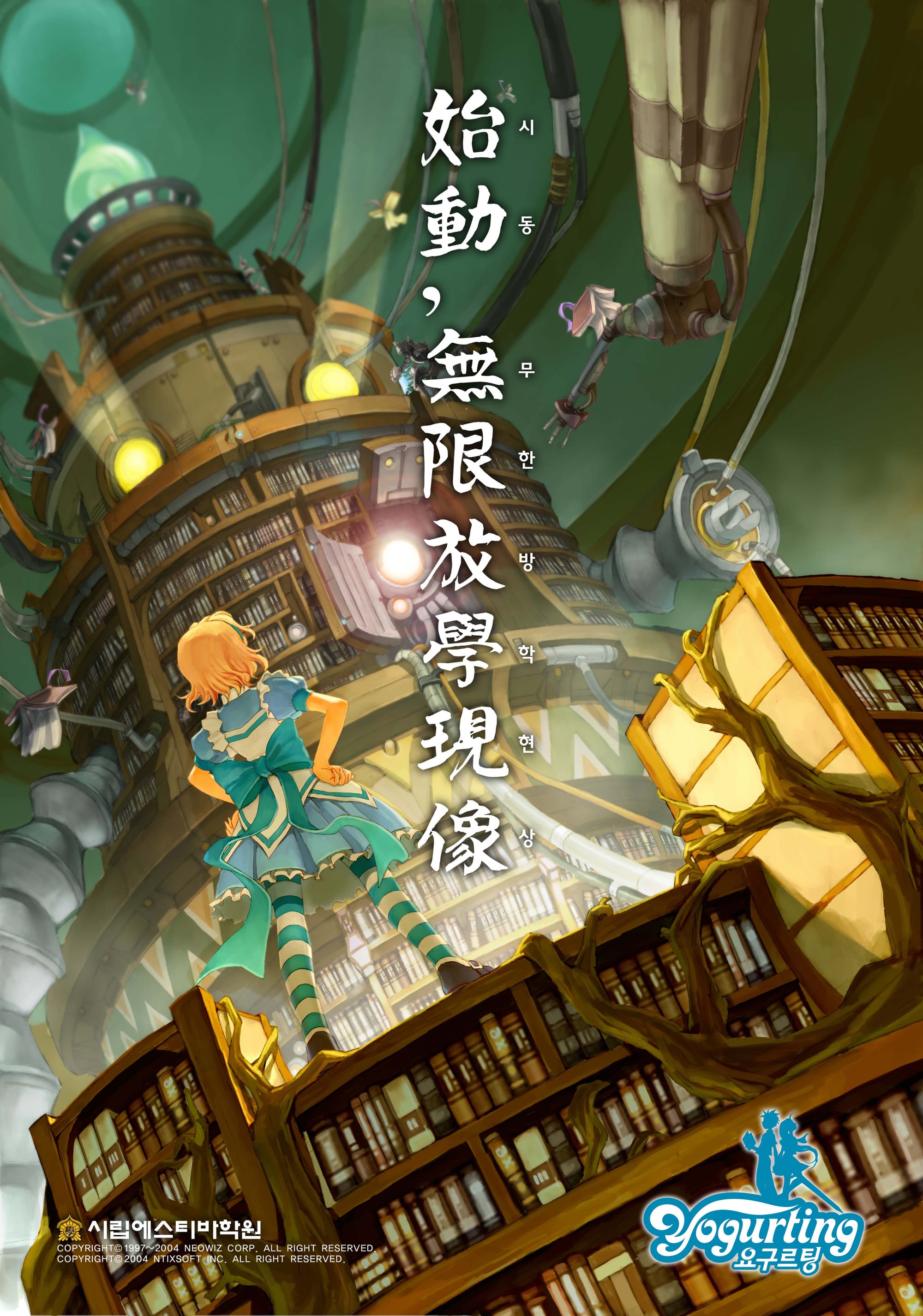
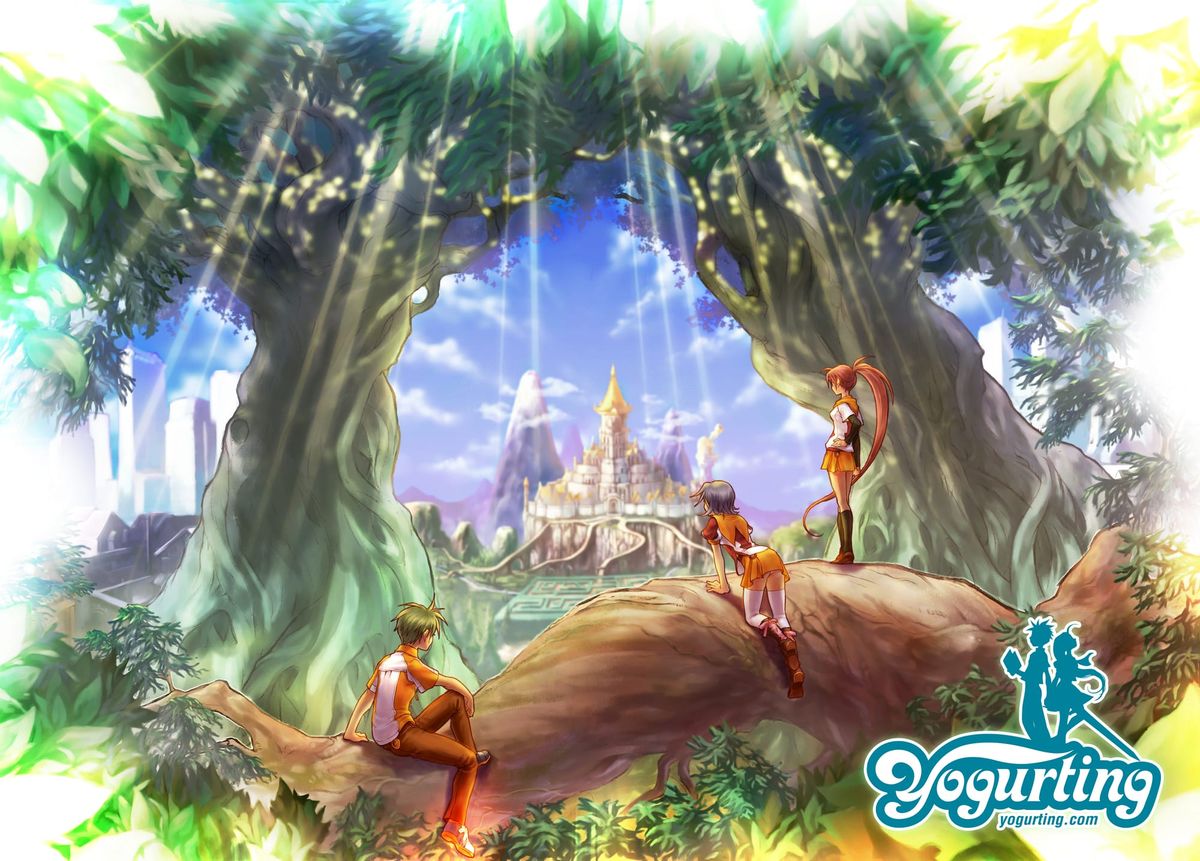
I started Yogurting in 2002 at Taff System, a Korean game studio that later became NTIX Soft. I began as the lead server programmer and later took on the role of producer.
This post is also available on Medium. If you’re a paid Medium member and happen to read it there, it helps fund my next cup of coffee. Much appreciated ☕️😄
It was a MORPG, or Multiplayer Online RPG (precisely speaking, it was not MMORPG). The game had two distinct parts. One was a social MMO-like experience set on a school campus, where players attended classes (actually not...) and interacted with others. The other was an instant dungeon (the PvE battle field) called Episodes. We launched in 2005 across Korea (May), Japan, and Thailand. Unfortunately, the numbers were not good enough, and I stepped down from the Producer role later that year. The game continued without me until the servers shut down in 2007 (in Korea).
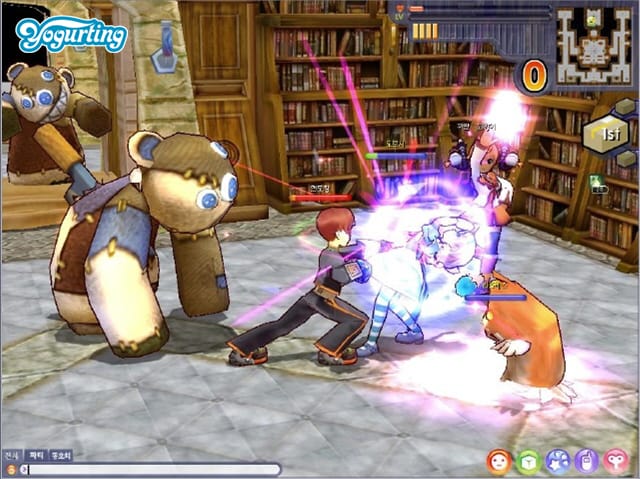
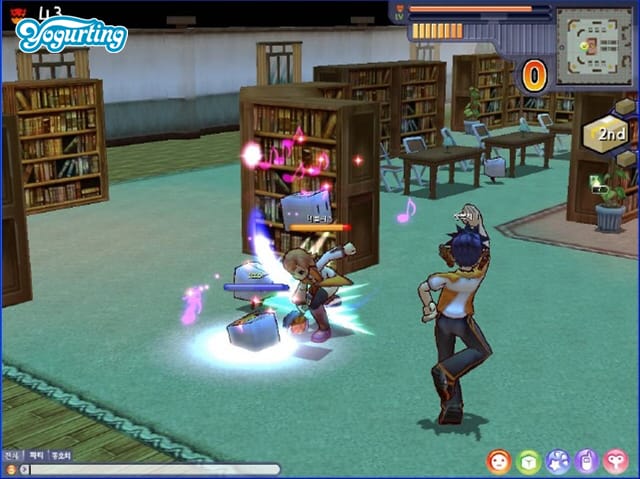
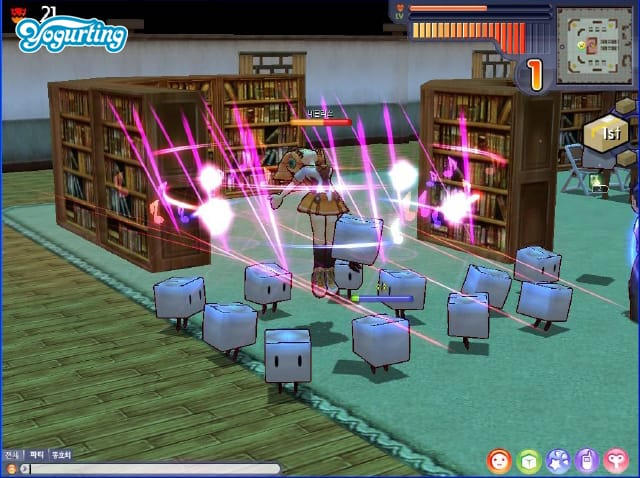
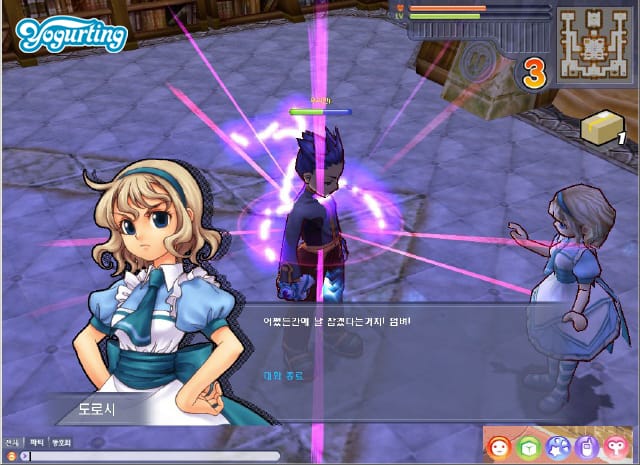
Original game screen shots
Every now and then, I still get emails from old fans. One of them told me about a free server project years ago. Someone had implemented a partially working server in Java, running with the original game client. Only the social features at school were functional. I wanted to help, but I had no source code and no technical documents. There might have been some old notes buried in encrypted Microsoft Outlook archives from 2004, but digging those out felt like its own archaeological project. With a day job taking priority, I never found the time.
Then coding agents arrived near the end of 2025.
I heard some projects revived old games by building a rendering compatibility layer with AI agents. For example, mapping original DirectX calls to WebGL. Without source code, that path was closed to me. What I did have was the old Windows client, with all its art assets still packed inside the executable binary. And I had something else. I had been there from day one. I knew, at least in broad strokes, how the engine worked. Yogurting used a proprietary 3D engine built at Taff, with custom binary formats for everything. Meshes, skeletons, animations, equipment parts. I did not remember enough to parse those formats myself, but I remembered enough to guide someone, or something, that could.
So in January 2026, I decided to try. The goal was simple:
• Build an importer that could reverse engineer the proprietary 3D model files and convert them into standard GLB (glTF) format
• Revive the avatar system, with swappable clothing, hair, and weapons, in Godot 4 (an open-source game engine)
• Bring back as many animations as possible
• Package everything as reusable Godot addons so the characters could live in new projects
I chose Claude Code as my collaborator, along with a set of local agents. What followed was ten weeks of weekend work. It became one of the most productive and most frustrating human and AI collaborations I have experienced. By the end, I had a working avatar viewer with 200 equipment items, four weapon types, male and female characters, 223 animations, 116 monsters, and 78 NPCs.
But none of it came from typing “please do this.” Every breakthrough required something specific from me. A hypothesis. A visual observation. Or domain knowledge from the years I spent building the original game.
This is the story of those moments.
The Blob
The first thing I tried to build was a parser for the 3D mesh files. I knew roughly what they contained: vertex positions, face indices, texture coordinates, and bone weights. What I did not know was the exact byte layout, the data types, or what transformations had been applied. These were not human-readable text files, but raw binary formats, so even a small misunderstanding at the byte level could distort everything.
Claude wrote the first version in minutes. It read the binary header, extracted vertex buffers, constructed triangle faces, and exported a standard GLB file. On paper, it sounded almost too clean. For a moment, it felt like this might actually work on the first try. So, I opened it in Godot, a little more excited than I expected.
It was a blob.
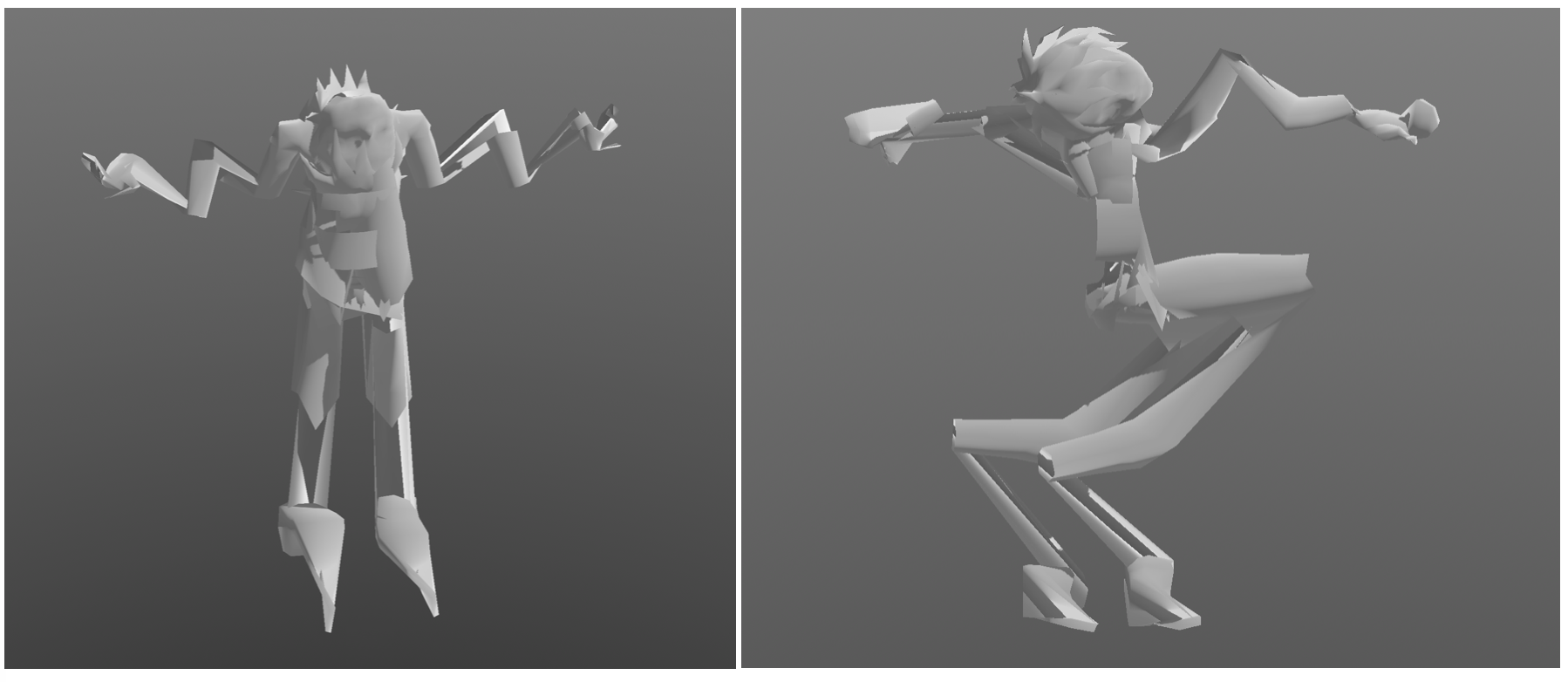
Not an error or a crash, but an actual shape. It was roughly human-sized, yet completely wrong. Vertices shot off in directions that made no geometric sense. Faces were turned inside out. Limbs collapsed into the torso. It looked like someone had taken a mannequin and run it through a blender.
This is where the idea of “just use AI” runs into a wall. There was nothing to search for and no documentation to fall back on. Claude could rewrite the parser in many different ways, but it could not look at the output and understand what was wrong. The problem space was full of plausible failures. A coordinate system mismatch, a flipped winding order, a one-byte misalignment, or a wrong data type for indices could all produce something that looked almost correct while being completely unusable.
What I could do was different. I could look at the result and compare it to what I remembered from the original game. The mesh seemed mirrored on one axis. Faces were rendering inward instead of outward. Those observations became concrete hypotheses. Negate the X axis. Reverse the face winding order. Skip a block of padding bytes.
Each time, Claude would make the change and export a new file. I would open it, rotate the camera, and inspect the model. Sometimes it was still completely wrong. Sometimes it was wrong in a slightly better way. The torso would begin to look right, while the arms remained distorted. Each iteration took seconds for Claude and minutes for me, staring at the viewport and trying to reconcile the shape with memory.
After dozens of cycles, a recognizable human figure began to emerge. It was not perfect. The arms were still off, just in a different way. But it was unmistakably a person. The blob had finally resolved into something real.
The Inside-Out Skeleton
With the mesh finally looking right, I moved on to the skeleton. The binary files contained everything I needed in theory. Bone hierarchies, parent-child relationships, bind poses, rotation data. Claude parsed the skeleton and bound it to the mesh without much trouble. I loaded it into Godot and hit play, expecting at least a rough approximation of motion.
What I got instead was something deeply unsettling. The avatar’s arms twisted outward as if it were trying to take flight. The palms faced backward. Fingers bent in directions that no joint should allow. The mesh itself was correct in T-pose. For a brief moment, it felt like a real milestone, like I had finally crossed the hardest part. But the moment the skeleton took over, everything fell apart. It felt like all that progress had just collapsed in front of me.
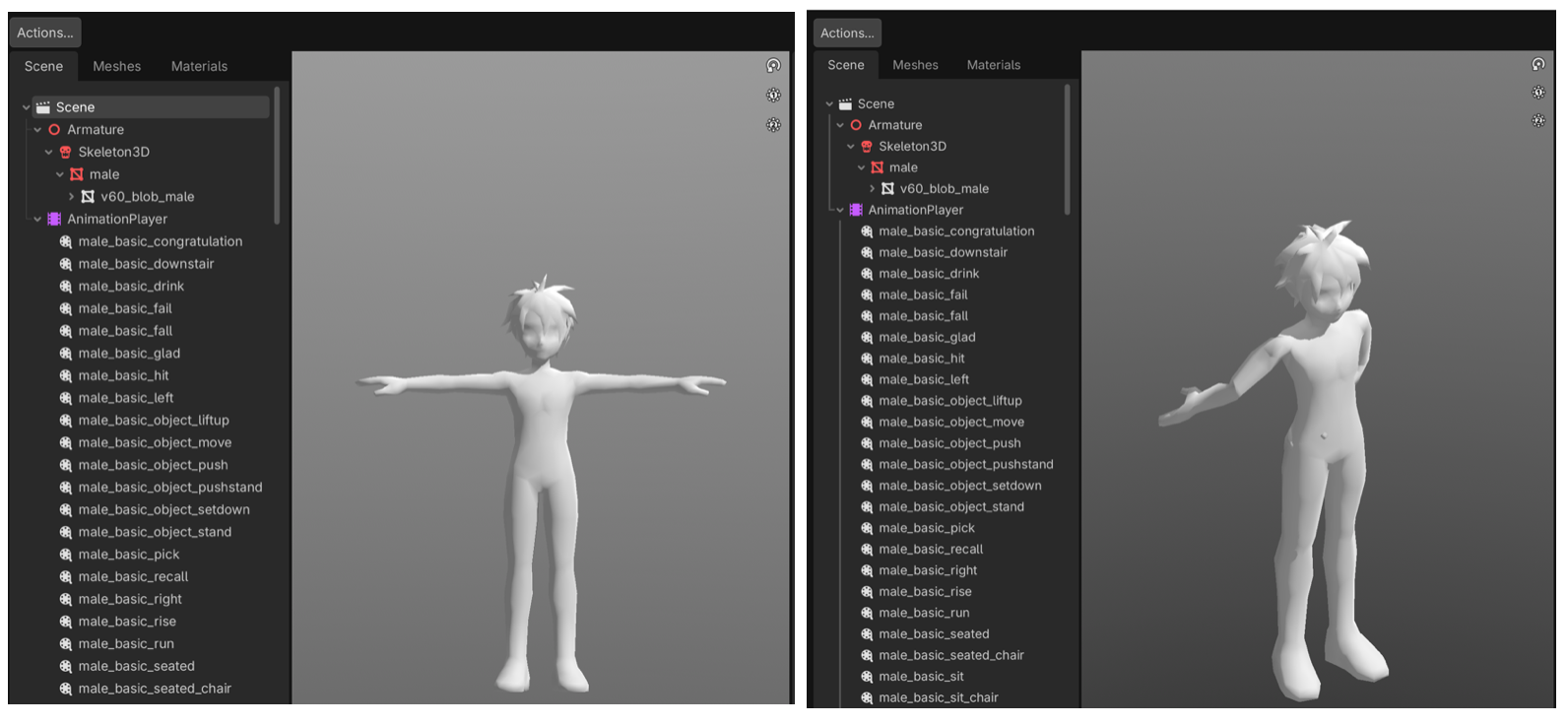
The problem was rotation, and more specifically, quaternions. Rotations in 3D are stored as four numbers, but those numbers mean nothing without context. Which axis is up, what order the components are stored in, and whether the rotation is relative to the parent bone or the world all matter. None of that information was documented. The binary format did not come with instructions.
Claude did what it could. It tried different permutations, different conventions, different interpretations of the same data. The difficulty is that quaternion math is unforgiving in a very particular way. Most combinations produce something that looks almost plausible, just slightly wrong. A twist here, a flipped joint there. You can generate endless variations without getting any closer to the truth. There is no obvious failure state, only degrees of incorrectness.
I kept pushing anyway. “Fix the arm rotation.” “Try a different quaternion order.” “The arms are still wrong, try again.” I burned through an entire week’s worth of Claude Max tokens on this problem alone. Occasionally something would improve, only for another part of the skeleton to break. A fix to the shoulders would distort the spine. A correction to the hands would undo the arms. We kept circling the same space, and asking “please fix the skeleton” in different ways did not help. The system was spinning as much as I was.
At some point it became clear that I needed a different approach, something visual instead of abstract.
So I built a simple debugger. I asked Claude to generate small colored cubes and attach one to each bone in the exported model. Red for Spine1, blue for Spine2, green for the shoulders. Instead of reading numbers in a terminal, I could now open Godot and see the skeleton directly. I could see where each bone was, how it was oriented, and how it related to its neighbors.
That changed everything.
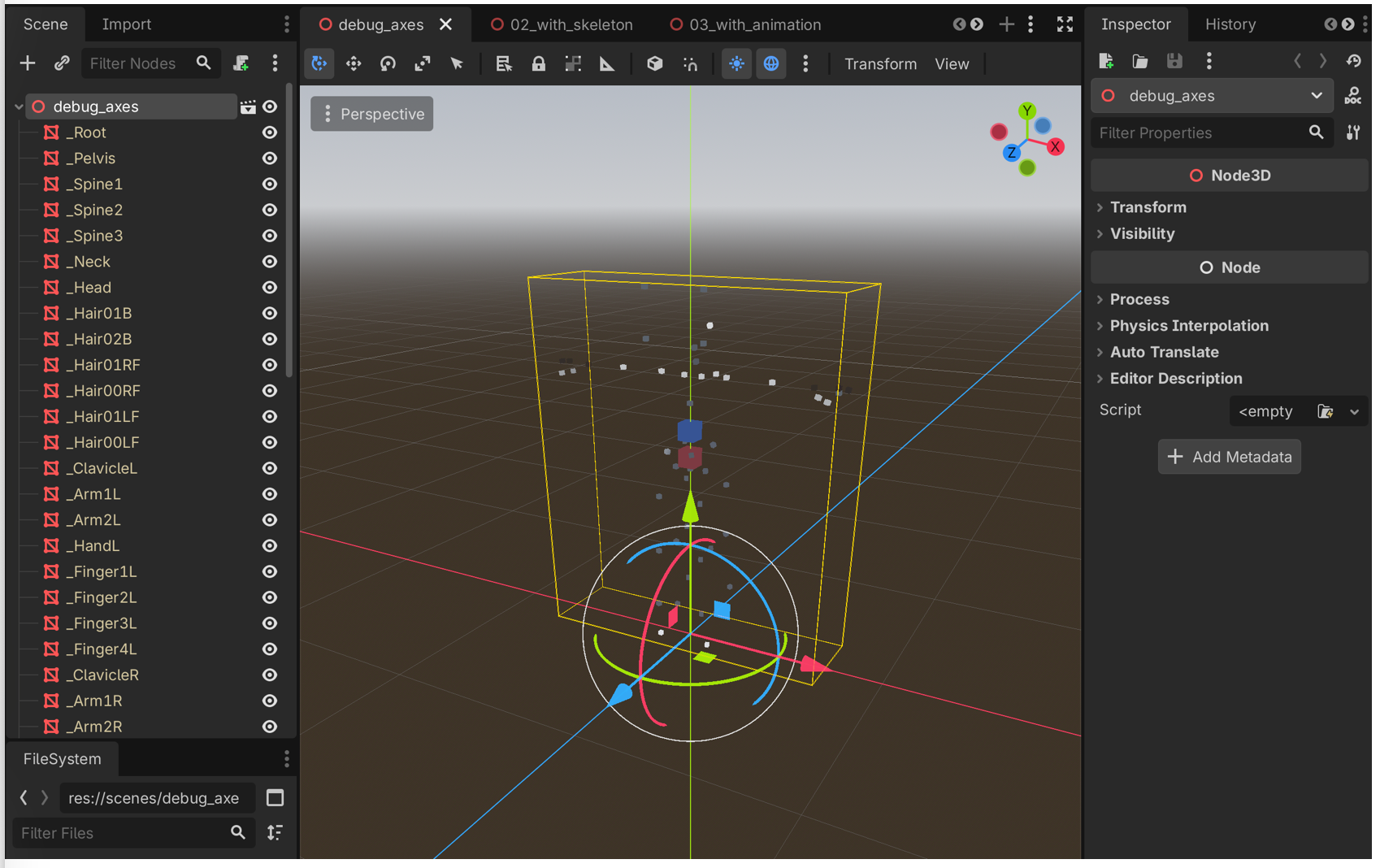
Now I could rotate the camera and make concrete observations. The forearm is twisted 180 degrees on the X axis. The palm orientation is off and needs a Y rotation. The fingers are still misaligned. Each statement was specific and actionable. Claude could apply a targeted fix, and I could immediately verify the result.
We iterated like that for days. Version by version, the skeleton straightened out. v60, v82, v90, v97, v109. Each one fixed another piece, guided not by abstract reasoning, but by a human looking at colored cubes in a 3D space and saying that one is pointing the wrong way.
WXYZ or XYZW?
With the skeleton finally stable in its resting pose, every bone pointing the right way and every joint bending naturally, it was time to add animation.
The avatar had 223 animations. Idle stances, walking cycles, combat moves, emotes. The data lived in a separate binary format, storing keyframes of bone rotations over time using the same four-number quaternion representation as the skeleton. Claude wrote the animation parser, I exported the results, and I opened it in Godot with a fair amount of confidence this time.
The character immediately fell apart.
It was not random noise. There was structure in the motion, almost like a real animation trying to come through. The timing felt right. The overall rhythm was there. But every rotation was wrong. Limbs swung in the opposite direction. Joints that should move slightly were bending far too much. It looked like the correct animation being played through a completely wrong interpretation, as if someone were performing the right choreography in a mirror while upside down.
That kind of failure is frustrating, but also useful. If everything had been completely broken, the cause could have been anywhere. This was different. It was consistently wrong in a way that suggested the underlying data was mostly correct.
From the skeleton work, I already knew how sensitive quaternion conventions could be. The same four numbers can represent entirely different rotations depending on how they are ordered. I remembered that the mesh skeleton stored rotations as [X, Y, Z, W], with the W component last. It raised a simple question. What if the animation data used a different ordering, like [W, X, Y, Z] with W first?
There is no obvious way to confirm that from raw binary. Both layouts produce valid floating point values. Both pass every sanity check. Nothing in the data itself tells you which interpretation is correct. But the visual pattern of the error was familiar. The mirrored and inverted quality of the motion pointed to a consistent mismatch rather than random corruption.
So I tried the simplest possible change. Swap the first component to the end.
Claude updated the parser with a single line. I exported again and hit play. This time, the character stood up straight, shifted its weight, and settled into a natural idle.
All 223 animations worked. One line fixed all of them.
The Forehead Line
With the mesh and skeleton working, I moved on to what Yogurting was really about: swappable avatar parts. Players could customize their characters with different hair, shirts, pants, gloves, and shoes. Each piece was a separate mesh that attached to a shared skeleton. Claude built the part loader, and before long I had hair styles and clothing swapping in and out.
The first issue was familiar. Z-fighting between the base body mesh and the clothing caused flickering wherever they overlapped. This one I knew how to solve. The original game had metadata for each item that specified which regions of the base mesh to hide. Long sleeves hid the arms, pants hid the legs. I remembered the system from the original development, explained it to Claude, and it was implemented quickly. It was a rare moment where memory translated directly into a clean solution.
Then I noticed something else. A thin seam ran across the forehead, exactly where the hair mesh met the face. It was not a gap. The meshes were aligned perfectly. But the boundary was still visible, especially under certain lighting and viewing angles. The effect was subtle but distracting. It made the character look like it was wearing a hair-colored shell that did not quite sit on the head correctly.
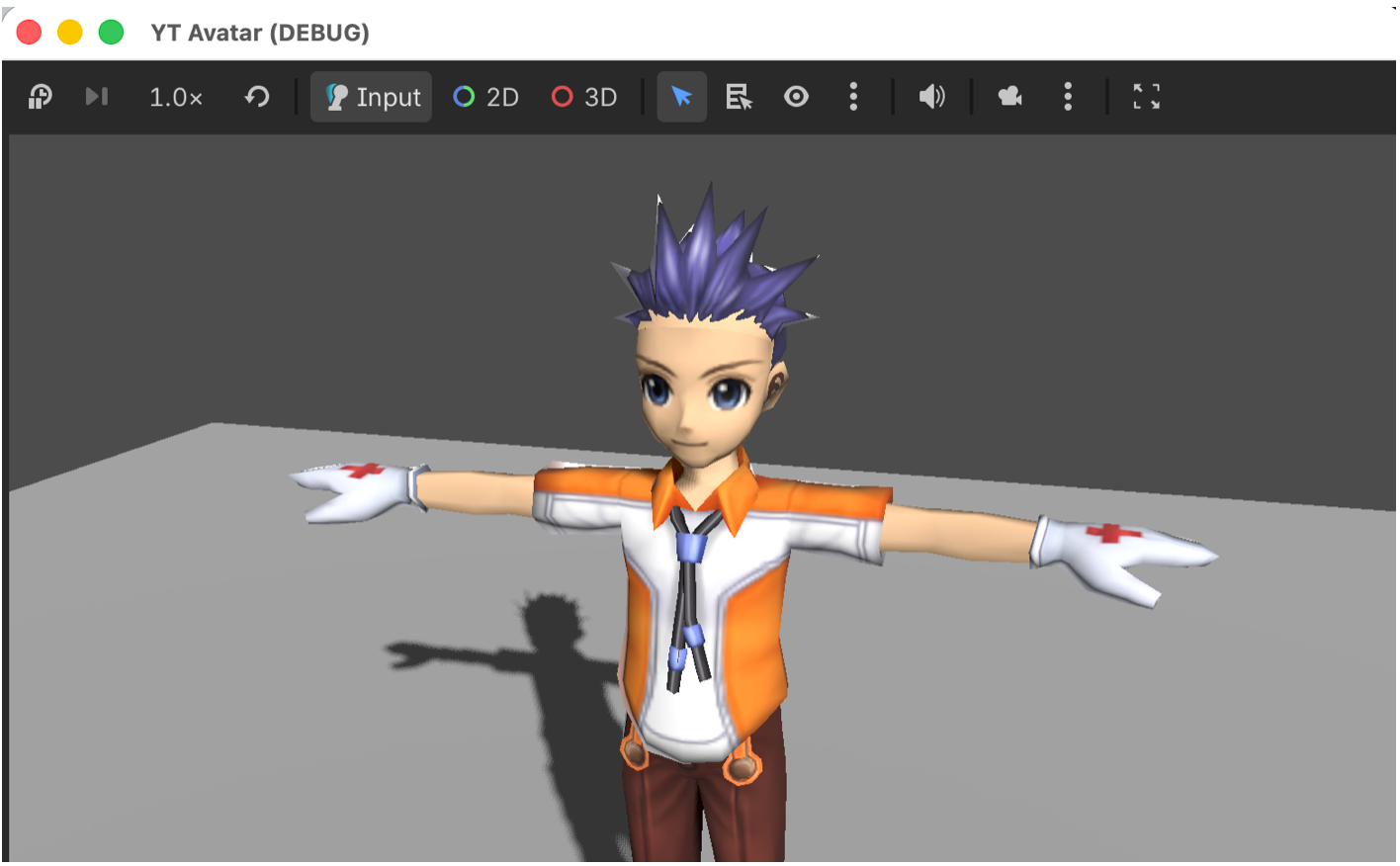
This time, I did not have an answer. The original engine handled it differently, but I could not remember how. So we started experimenting.
What followed was one of the most intense iteration loops in the entire project. Sixteen commits in a single day, most of them undone shortly after.
We tried hiding vertices by cloning and masking parts of the mesh. That broke the upper body, so we rolled it back. We tried darkening the scalp with a shader to blend it under the hair, which made it look bruised. We tried modifying the hair textures to blend into the skin, but that made the roots look muddy. We added a sphere cap under the hair to cover the seam, but it poked through at certain angles. Adjusting it helped a little, but not enough. We tried reusing the base hair mesh as a scalp, which introduced holes from backface culling. Disabling culling fixed the holes but brought back z-fighting. Eventually we reverted to the sphere cap and kept experimenting from there.
Each attempt took Claude only seconds to implement. The bottleneck was always the same. I had to look at the result and decide whether it was actually better. Sometimes the seam improved, but the fix introduced something worse. Sometimes it solved one angle and broke another. The AI could generate endless variations, but it had no sense of visual quality.
The seam was eventually relieved a month later using a different approach. It never fully disappeared, but it became subtle enough that most people would not mind it too much. That was good enough.
More importantly, this part of the process made something very clear. Iterating with AI does not mean letting AI iterate on its own.
The Sword in the Spine
By March, the avatar pipeline felt solid. I had moved on to NPCs. There were 78 of them, each with their own model, animations, and equipment. Claude extended the existing export pipeline, and most of them came through cleanly. The earlier work had paid off. Coordinate systems, quaternion conventions, skinning. Those problems were behind me now.
Then I started noticing something strange. Some NPCs were holding their weapons in their stomachs.
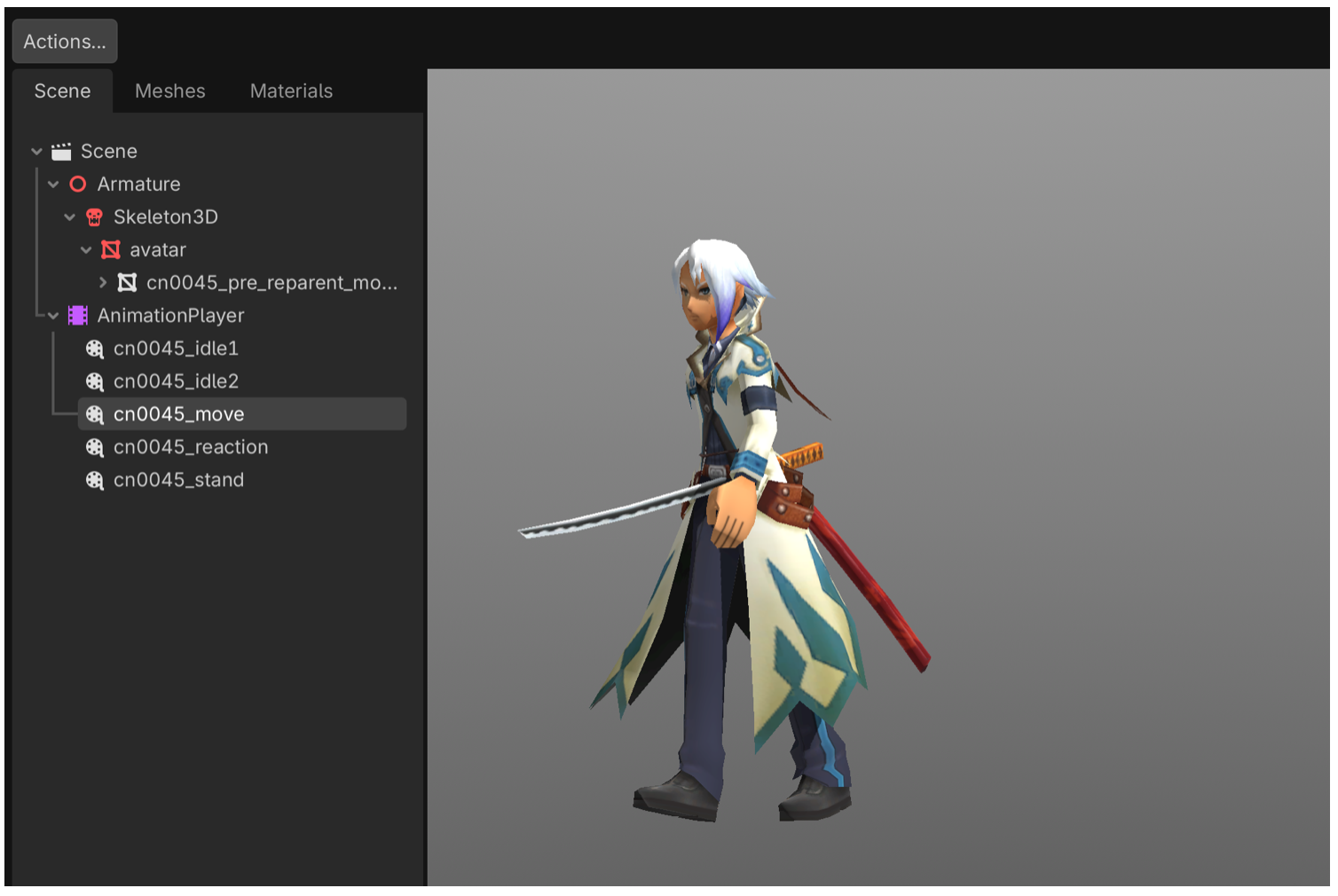
A guard stood with a sword embedded straight through his spine. A shopkeeper’s tray floated awkwardly at her hip. The attachments were technically correct in one sense. The weapons were bound to bones in the skeleton. They just were not the right bones.
Looking back at the original data, the reason became clear. Equipment was often parented to spine or root bones, and the engine applied offsets at runtime to move them into the character’s hands. Without that runtime logic, Godot simply rendered them exactly where the data said they should be. The result was a perfectly consistent, completely wrong placement at the character’s center.
The fix sounded straightforward. Detect equipment attachments automatically, reparent them to the nearest hand bone, and recompute the transforms. Claude implemented this in one pass. I exported all 78 NPCs and started reviewing the results.
That is when the second wave of problems appeared.
The tea lady’s cup had disappeared entirely. A warrior’s back-mounted swords were now swinging wildly from his wrists. A character holding a book had it clipping through her fingers at an awkward angle. The rule worked most of the time, but the failures were specific and sometimes worse than the original issue.
This kind of problem does not have a single clean solution. A general rule might handle most cases, but the remaining ones each require context. Claude had no way to know that the tea cup belonged to a specific attachment point, or that those swords were decorative and meant to stay on the back. The data did not encode that intent. Only visual inspection could.
So I went through them one by one. We iterated rapidly, about fifteen commits in a single day. Some cases needed to skip reparenting entirely. Others needed manual offsets. Some were already correct and had to be left alone. A few broke again after earlier fixes and had to be revisited.
Claude handled the implementation instantly, but every decision came from me. I looked at each NPC, judged whether it felt right, and told it exactly what to change.
Reflection
What We Built
This took ten weekends. We: one person and an(?) AI.
The avatar tool grew into a full pipeline. It became a Godot application with a GUI where you can browse around 200 equipment items, including hair styles, shirts, pants, gloves, and shoes, and swap them onto a character in real time. Face variations worked, including eye blink animations. There were four weapon types: Blades, Glorbs (Glove + Orb), Muras (music-themed headgear), and Spirits, each with their own visual identity and behavior. Both male and female characters were supported, each with their own skeleton and 223 animations, switchable between T-pose, idle states, and equipment-specific stances.
From there, I moved on to 116 monsters and 78 NPCs. They came with their own set of issues. Bone scale mismatches between mesh and animation data, jittering physics bones on cloth and hair, and weapons attached to the wrong bones. These were still problems, but they were manageable. The foundational work on coordinate systems, quaternion conventions, and skeleton binding had already been done. The patterns carried forward. What had taken weeks for the avatar now took days for monsters.
Everything was packaged as reusable Godot addons. They are drop-in modules that any Godot project can import. The characters are not tied to a single viewer. They are ready to be used in new projects, new prototypes, and whatever comes next.
What we built
The Pattern
Looking back, the same collaboration pattern repeated across every part of the project.
The AI writes code, and it does so quickly. Parsers, exporters, shaders, visualizers, even entire Godot scenes. It does not get tired, and it does not hesitate to rewrite the same function again and again.
The human provides direction. That means eyes, hypotheses, domain knowledge, and judgment. It means looking at broken output and explaining what is wrong and why. It means remembering how the original system behaved, or inventing new debugging methods when the usual ones do not apply.
The work happens in iteration. Not a single prompt, but a loop of attempts. Try something, look at the result, explain what is wrong, try again. Each step is small, but the accumulation matters.
Nothing in this project was solved by asking the AI to “fix the avatar.” Every meaningful step required something specific. A hypothesis about coordinate systems. A visual debugger made of colored cubes. A one-component quaternion swap. A memory of how clothing textures behaved twenty years ago.
AI is fast, but speed alone is not useful if it is pointed in the wrong direction. The human role is to guide that direction and to recognize when things have drifted.
What I’d Do Differently
When I started, I did not know how to work with a coding agent. There was no playbook, and I had no sense of how to structure the interaction. I spent the first week trying variations of “please fix the skeleton,” burning through tokens with little progress. The breakthrough with the colored cubes did not come from better prompting. It came from stepping back and changing how I approached the problem.
With that experience, I would move faster now. I would start with visual debugging earlier. I would bring hypotheses instead of vague requests. I would keep the iteration loop tighter and more deliberate.
Game development introduces a challenge that many AI coding workflows do not face. The output is visual. In a typical software system, you can rely on tests, type checks, and logs to validate correctness. In this case, someone has to look at the screen. Claude can process screenshots and catch obvious issues, such as missing meshes or completely broken poses. But subtle artifacts, like a thin seam on the forehead or slight texture bleeding, often fall below its resolution. The details that matter most are the easiest to miss.
Claude can generate and modify Godot project files because they are text-based. Scenes, scripts, and resources are all accessible. But it cannot read from the Godot console, cannot see the viewport directly, and cannot interact with the editor in a meaningful way. There are tools that attempt to bridge this gap, but in practice the feedback loop remained manual. Export, open Godot, inspect, describe, and return to the agent. Each cycle takes time and depends on how well a visual observation can be translated into precise instructions.
For AI-assisted game development, improving that loop feels like the most interesting direction to explore. Giving the system better visibility into the rendered result, or at least shortening the path from image to actionable feedback, would change the dynamic significantly.
Seeing Them Move Again
After weeks of malformed meshes, twisted skeletons, and small but persistent visual artifacts, there is a moment when the character finally stands still and looks right. You switch animations and watch it move. It waves, draws a sword, casts a spell. Motions that have not been seen in nearly two decades, now running in a modern engine.
I remember how awful the first version of the character looked. It took time, iteration, and a lot of refinement in art direction before it became something we were proud of. By the end, I believed it was one of the best character styles of its time.
But looking at old screenshots now, I realize something else. The models were not the main limitation. The rendering was. The lighting, the shading, the way materials were handled. All of it was primitive compared to what we take for granted today.
Seeing the same character in a modern engine was genuinely surprising. The asset itself had not changed, but the way it was rendered had. Better lighting, better shading, better materials. Details that used to be flattened or lost now showed up clearly. The character looked cleaner, more expressive, and more complete than I remembered.
It was a strange feeling. Something I had worked on years ago, something I thought I fully understood, revealed itself differently just by being placed in a new context. The character did not just work again. It felt renewed.
A Note on What’s Next
Yogurting is still the intellectual property of Neowiz (the publisher), who hold the license. I am in discussion with them about what form this work might take publicly, but there is no clear answer yet. I hope these assets can eventually be shared in some form. Regardless of that outcome, the process of bringing them back has already been worth it for me.
I’ve published this project with Neowiz’s permission for non-commercial use. https://github.com/dikoko/ytre