Using Python on Apple Silicon Macs in 2026

A few days ago, I happened to notice that not a few people are still reading an article I wrote almost three years ago about Python on macOS. That surprised me a little. In tech years, three years is almost eternal. Back then, Intel Macs were still common. Apple Silicon was relatively new (it was when just M2 came out). Today, things are very different. Almost everyone is on M-series Macs. Intel Macs are basically gone from the ecosystem. So I thought: that old post is probably outdated. It’s time to revisit the topic and clarify what “a modern Python environment on Mac” looks like now.
And while I was thinking about that, I ran straight into another very modern problem: Python dependency management. Recently, I was checking out someone else’s repository. At first glance, everything looked normal.
- They used
venvandpip. - There was a
requirements.txt. - Nothing unusual.
But when I opened it in VSCode and tried to run things locally, I found many imports were broken. After digging a bit, I realized something important: part of the project was managed with pip, but another part was managed with Poetry. So it was an environment where a virtual environment(venv), pip dependencies, Poetry-managed tool, and A poetry.lock file, all living together; and they were not in sync.
In theory, this setup makes sense. venv + pip is still the most basic and widely accepted approach. Poetry is also widely accepted for more structured dependency management. Many teams may use both: pip for production and Poetry for development tools/environment.
This is not wrong, but in practice, it can get messy. In my case, the poetry.lock file had been generated with an older version of Poetry. My (global) Poetry was newer, and I got “The lock file is not compatible with the current version of Poetry.” error. So I tried the obvious thing: installing the older Poetry version inside the project’s virtual environment.
That was a mistake.
Poetry itself depends on many Python packages. Installing an old version inside the same environment immediately created conflicts. Other tools started breaking. This is the moment when Python dependency management stops feeling like a tool and starts feeling like a trap.
The only clean solution, in the end, was to use pipx. I installed the older Poetry version globally, but in an isolated environment. Once I did that, everything worked again. pipx avoids this by giving each tool its own sandbox. Your project uses its own virtual environment. Your tools live somewhere else. They don’t fight each other. Once you understand this, it feels reasonable. Before that, it just feels like unnecessary complexity.
This experience reminded me why people still read my old post: not because it was perfect, but because Python on Mac (especially on Apple Silicon Macs) is something people still struggle with. That’s why I think now is a good time to revisit how we should manage Python dependencies in 2026.
TL;DR: Have your coding agent use uv.
Reality check in 2026
First, let’s look at what has changed since my previous post in 2023.
Native Apple Silicon Python builds are now completely mainstream.
- Python.org provides official arm64 macOS installers for Python 3.11 and newer (and even 3.10), all compiled natively for Apple Silicon. The “universal2” installers include both Intel (x86_64) and Apple Silicon (arm64) versions in one package.
- Major package managers like Homebrew, Conda/Mamba, and pyenv also fully support arm64 builds.
Because of this, the baseline of my old post is no longer valid. We no longer need Rosetta just to run Python itself. On modern Macs, native Python is now the default, not a workaround.
The Conda Ecosystem Now Supports Apple Silicon
When I wrote my original post, only Miniforge experimentally supported arm64. Anaconda and Miniconda did not yet provide native Apple Silicon installers, so options were limited. That has changed. Today, Miniforge and conda-forge offer mature and stable arm64 support on macOS, and Miniforge is now widely recommended as the default Conda distribution for Apple Silicon. On top of that, Micromamba and Mamba provide faster, lighter-weight alternatives to traditional Conda. They also fully support arm64 and run well on M-series Macs.
In practice, this means the Conda ecosystem now offers reliable and fully native environments on Apple Silicon. If you prefer Conda-style workflows, you no longer need workarounds or compromises to use them on modern Macs.
Most Major Scientific and ML Packages Now Offer Apple Silicon Wheels
Today, most core libraries for machine learning and data science support Apple Silicon natively.
- NumPy, SciPy, Pandas, scikit-learn: Native arm64 wheels are now standard on PyPI and install cleanly with pip.
- TensorFlow / TFLite / Metal-accelerated builds: Optimized versions for M-series Macs are available through packages like tensorflow-macos and tensorflow-metal.
- PyTorch: macOS arm64 wheels are officially supported, although GPU acceleration is still limited by Apple’s underlying APIs rather than Python tooling itself.
Because of this ecosystem maturity, you no longer need Conda just to get these major packages working on Apple Silicon. In most cases, pip can now install them directly on native arm64 Python without extra work.
So, What Still Matters in 2026?
Native Acceleration Still Varies by Library
Apple Silicon delivers excellent CPU performance and solid GPU performance through Metal. But in practice, GPU acceleration on macOS is still very different from the CUDA-based ecosystems on Linux and Windows.
- GPU acceleration on macOS is not equivalent to CUDA.
- Libraries that depend heavily on CUDA cannot benefit from NVIDIA’s tooling on Apple hardware. This is an architectural limitation, not a Python packaging issue.
I’m personally using an M3 Ultra machine with 512 GB of memory, and it is truly a powerhouse. For most workloads, it feels more than enough. Still, if we are honest, Apple’s GPU performance does not yet match NVIDIA’s top-tier chips.
CUDA is a highly mature ecosystem built over more than 15 years, with deep optimization and a rich stack of libraries such as cuDNN, TensorRT, and NCCL. Many of these optimizations simply do not exist yet in Apple’s Metal and MPS ecosystem.
As a result, not all PyTorch operators and kernels are fully optimized on the MPS backend. Some operations still fall back to the CPU, which can lead to noticeably slower performance compared to CUDA-based systems. This is not a failure of Python or package management. It is simply where the hardware and software ecosystems stand today.
Environment Isolation Still Matters
And this leads to the main topic of this post. Even though most packages now install cleanly on Apple Silicon, the traditional challenges of Python environments have not disappeared:
- Isolated environments (venv, conda, mamba, etc.)
- Python version management (pyenv, uv, etc.)
- Reproducible dependency resolution
These problems still exist in 2026. Today, with coding agents everywhere, we often just ask an agent to “set up the environment” for us. And many times, it works. But I’ve also seen plenty of cases where even good agents struggle with complex dependency graphs, mixed tooling, or legacy setups. That’s why I still think it’s important to understand these tools ourselves. Not because we want to do everything manually, but because real understanding lets us give better instructions.
There is a big difference between blindly saying:
“Set up the environment.”
and confidently saying:
“Please use uv for all Python scripts, manage dependencies with a lock file, and isolate everything in a clean venv.”
The second works much better when you actually know what those tools are doing under the hood.
How We Got Here
No matter how modern the tooling becomes, every Python project still has to answer the same four basic questions:
- Which Python version are we using?
- Where do the dependencies live?
- How are those dependencies resolved and locked?
- How are they installed and run?
Most of the tools we use today exist to solve one or more of these questions. Understanding their history helps explain why the ecosystem looks so complicated.
pip (2008): The Package Installer
In the early days of Python, there was a tool called easy_install. It worked, but it was often unsafe and inconsistent. Installing packages could easily break environments, and reproducibility was weak.
To fix this, pip was introduced in 2008 as the standard way to install third-party libraries from PyPI (The Python Package Index). pip did one thing well: it installed packages into whatever Python environment you were currently using.
But that was also its limitation. It assumed that you had already chosen the right Python and the right place to install things. It did not manage environments. It simply copied packages into your existing setup. And that is where problems began.
virtualenv → venv (Around 2012): Isolating Environments
By default, pip installs packages into the global site-packages directory. Depending on how Python was installed, this might look like:
/usr/local/lib/python3.x/site-packages/
/Library/Frameworks/Python.framework/Versions/3.x/lib/python3.x/site-packages/
When multiple projects shared this same directory, conflicts were inevitable. One project needed Django 2.x, another needed Django 4.x. One required NumPy 1.21, another broke with anything newer. Soon, everything started fighting with everything else.
To solve this, virtualenv emerged as a community solution around 2007. It allowed each project to have its own isolated Python environment with its own dependencies. Later, in 2012, Python introduced venv as part of the standard library, providing similar functionality without external tools.
With virtualenv and venv, developers could finally separate projects from each other. Each project got its own site-packages, its own interpreter, and its own dependency space. With pip’s requirements.txt, the typical pattern is as follows:
python -m venv .venv
source .venv/bin/activate
pip install -r requirements.txt
This was the first real step toward sane Python environments. But it still didn’t solve everything.
conda (Around 2012): “Python Alone Is Not Enough”
As Python became more popular in scientific computing and machine learning, another problem surfaced. Many important libraries were not pure Python. They depended on C, C++, or Fortran code. They needed system-level components like BLAS, LAPACK, CUDA, and other native binaries. Installing these correctly was often harder than installing Python itself.
This was the context in which conda appeared. conda was not just a package manager for Python. It was designed to manage entire environments, including non-Python dependencies. With conda, you could install NumPy, SciPy, and their underlying native libraries together, in a consistent way.
conda create -n env python=3.10 numpy scipy
conda activate env
In practice, it solved three major problems at once:
- It handled cross-language dependencies.
- It managed binary packages.
- It allowed Python and non-Python libraries to live in the same environment.
For data scientists and researchers, this was a huge step forward. At the same time, conda came with trade-offs. It was heavy. Dependency solving was slow. And over time, it became a parallel ecosystem, separate from the standard pip and PyPI world.
pyenv (Around 2014): “Managing Python Versions Is Painful”
Another long-standing problem in Python development had nothing to do with packages: it was about Python itself. Your operating system had one Python. Your project needed another. Your production environment used yet another. And suddenly you were testing against three or four different versions. Switching between them manually was messy and error-prone.
Of course, conda also solved this problem in its own way. A conda environment always comes with its own Python version, so in practice, version management is built in. If you live entirely inside the conda ecosystem, you may never feel this pain.
But many developers did not want to adopt the full conda stack, especially outside scientific computing. They wanted something lighter that worked with system tools and standard pip-based workflows. That is where pyenv came in.
It lets you install multiple Python versions side by side and switch between them per shell or per directory. One project can use Python 3.8, another can use 3.11, and your system Python can remain untouched.
pyenv install 3.11.7
pyenv local 3.11.7
python -m venv .venv
Under the hood, pyenv does this through a clever “shim” mechanism. Instead of directly calling /usr/bin/python or some installed binary, pyenv places small wrapper scripts (called shims) early in your PATH. When you type python, pip, or pytest, you are actually running a shim first.
That shim checks which Python version is active in the current context, based on:
- The current directory
- A .python-version file
- Your shell configuration
This alone made many developers’ lives much easier. However, pyenv focused only on Python versions. It did not manage dependencies. It did not lock versions. It did not ensure reproducibility.
pip-tools (Around 2015): “pip Isn’t Reproducible”
For a long time, pip and requirements.txt were considered “good enough” for most projects. You listed your direct dependencies, ran pip install -r requirements.txt, and assumed everyone else would end up with roughly the same environment.
requests>=2.20
flask>=1.0
At first glance, this looks reasonable. But those version ranges allow many possible combinations, and each package brings its own dependencies with their own constraints. Over time, different developers, CI systems, and deployment environments quietly installed different sets of versions. Subtle bugs appeared that only happened on certain machines, and reproducing an old environment became increasingly difficult.
The root of the problem was that pip was never designed to be a full dependency resolver with strong reproducibility guarantees. It installs whatever versions satisfy the constraints at the moment you run it, based on what is available at that time. That behavior is convenient, but it is not stable over the long term.
pip-tools emerged as a practical response to this limitation. Its core idea was to separate human-written dependency definitions from machine-generated lockfiles. Instead of putting everything in requirements.txt, developers wrote a minimal requirements.in file that listed only direct dependencies. Running pip-compile would then resolve the full dependency graph and generate a pinned requirements.txt with exact versions.
From that point on, installing dependencies became predictable. Everyone used the same resolved versions, across machines and over time, and “it works on my laptop” problems became much rarer.
In essence, pip-tools turned loose constraints into precise, reproducible environments. That relatively small change made dependency management far more reliable for many teams, years before lockfiles became a standard expectation in Python tooling.
Poetry (Around 2018): “One tool to rule them all”
By the late 2010s, Python projects had accumulated too many moving parts. You had pip for installing packages, venv for isolation, pyenv for version management, setup.py for packaging, and a growing collection of conventions layered on top. It worked, but only if you knew how all the pieces fit together.
Poetry emerged as an attempt to simplify all of this. Instead of stitching together multiple tools, Poetry tried to provide a single, unified workflow. You define your project and dependencies in pyproject.toml, and Poetry handles resolution, locking, virtual environments, and even publishing.
With Poetry, a project is defined in pyproject.toml. Dependencies are declared there, and Poetry resolves them into a lockfile (poetry.lock) with exact versions. Creating and managing virtual environments is handled automatically. Installing dependencies becomes as simple as:
poetry installAdding or upgrading packages is equally straightforward:
poetry add requests
poetry update
Publishing to PyPI is also integrated into the same toolchain. In that sense, Poetry feels closer to modern package managers like npm or Cargo than to traditional Python tooling.
Poetry can also specify and enforce the Python version for a project. In pyproject.toml, you can declare a version range such as:
python = ">=3.10,<3.13"Poetry will refuse to install dependencies if the current interpreter does not satisfy this constraint. You can also explicitly choose which Python binary to use:
poetry env use python3.11and Poetry will create a virtual environment bound to that interpreter.
However, Poetry does not install Python itself. It only works with versions that already exist on the system. In practice, this means it is often used together with tools like pyenv or Homebrew. Pyenv installs and manages multiple Python versions, while Poetry selects one of them and builds a project environment on top. In that sense, Poetry participates in version management, but it does not replace pyenv or conda.
For a while, Poetry felt like the answer. But over time, some trade-offs became clearer. Poetry introduced its own lockfile format and its own dependency solver. That meant your project became tightly coupled to the tool itself. For example, a poetry.lock file generated by Poetry 1.3 could sometimes behave differently under Poetry 1.7. Teams would occasionally find themselves stuck upgrading or downgrading Poetry just to make an old project work again (as I mentioned in my situation before).
Performance has also been a recurring concern. Dependency resolution in Poetry can be slow for large projects, especially compared to newer solvers. In complex environments, resolving dependencies may take minutes rather than seconds.
Finally, Poetry is opinionated. Because Poetry tried to own the entire workflow, it was harder to mix and match with other tools. For example, if you preferred pyenv for Python versions or wanted to integrate with system-managed environments, Poetry sometimes fought back rather than cooperated.
In practice, Poetry worked best when everything aligned: the right version, the right environment, the right ecosystem. It gives you structure and convenience, but in exchange, you accept its rules and its constraints. For many teams, that’s a good deal. For others, especially those working in complex or long-lived environments, it can become limiting.
pyproject.toml (Around 2019): “We need standards”
Unlike the previous entries, this is not a tool. There is no command to install, no binary to run. But in many ways, pyproject.toml is one of the most important changes in modern Python packaging.
Before this, Python projects were scattered across many different configuration formats. Package metadata lived in setup.py or setup.cfg. Dependency lists were in requirements.txt. Tool settings were spread across files like .flake8, tox.ini, pytest.ini, and more. Each tool invented its own format and location. As projects grew, configuration became fragmented and hard to reason about. The community slowly realized that this was becoming a structural problem.
pyproject.toml, formalized through PEP 518 and related proposals, was an attempt to create a shared foundation. It introduced a standard place where a project could describe itself: its metadata, its build system, and its dependencies. Instead of every tool inventing its own config file, tools could agree to read from one common source.
At first, pyproject.toml was mainly about build systems. It allowed projects to declare which backend they used, such as setuptools, Poetry, or later tools. This decoupled packaging from specific implementations and made it possible to evolve tooling without breaking everything.
However, over time, its role expanded. Today, pyproject.toml is where many tools put their configuration: Poetry, Ruff, Black, Mypy, Hatch, uv, and others. A single file often contains most of a project’s important metadata. That alone has dramatically improved readability and portability.
More importantly, pyproject.toml made it possible for new tools to emerge without reinventing the ecosystem. Because project intent lives in a standard format, tools can compete and innovate while still understanding the same projects. A new dependency manager does not need to define a new metadata system. It can just read pyproject.toml and work.
In that sense, pyproject.toml is the quiet enabler behind much of today’s tooling renaissance. Poetry would not work the way it does without it. Neither would uv. Neither would many modern linters and build tools. Your project describes what it wants in pyproject.toml. Tools interpret that intent in different ways. Over time, tools may change, but the core description remains. This separation is what finally made it realistic to modernize Python’s tooling without constantly breaking users.
uv (Around 2023): Making Standards Fast and Boring
When I first learned about uv, I didn’t have any particular expectations. To be honest, I hadn’t even heard of it until recently. By the time I noticed it, people around me were already talking about how “fast” and “clean” it felt, and how it was quietly replacing several tools at once.
After spending years juggling pip, venv, pip-tools, Poetry, and sometimes pyenv, I was skeptical. Every few years, Python seems to get “one more tool that fixes everything.” Most of them fix some problems and create new ones.
uv felt different.
Part of that might be because it is written in Rust. These days, many of the most reliable developer tools come from the Rust ecosystem: ripgrep, fd, bat, starship, volta, deno, and now uv. They tend to share the same traits: fast, memory-safe, and surprisingly stable. uv fits neatly into that pattern.
It doesn’t try to invent a new workflow. It doesn’t try to own your project. Instead, it takes existing standards and makes them fast, consistent, and boring. And in infrastructure, “boring” is usually a compliment.
Installing uv itself is straightforward:
curl -LsSf https://astral.sh/uv/install.sh | shAfter restarting your shell:
uv --versionFrom there, it already feels familiar.
To create a virtual environment:
uv venvThis creates a normal .venv directory. Nothing special. No magic.
You activate it the same way:
source .venv/bin/activateAnd then you install packages like pip:
uv pip install requests numpyIf you have a requirements.txt:
uv pip install -r requirements.txtIf you use pyproject.toml, uv respects it automatically.
For example:
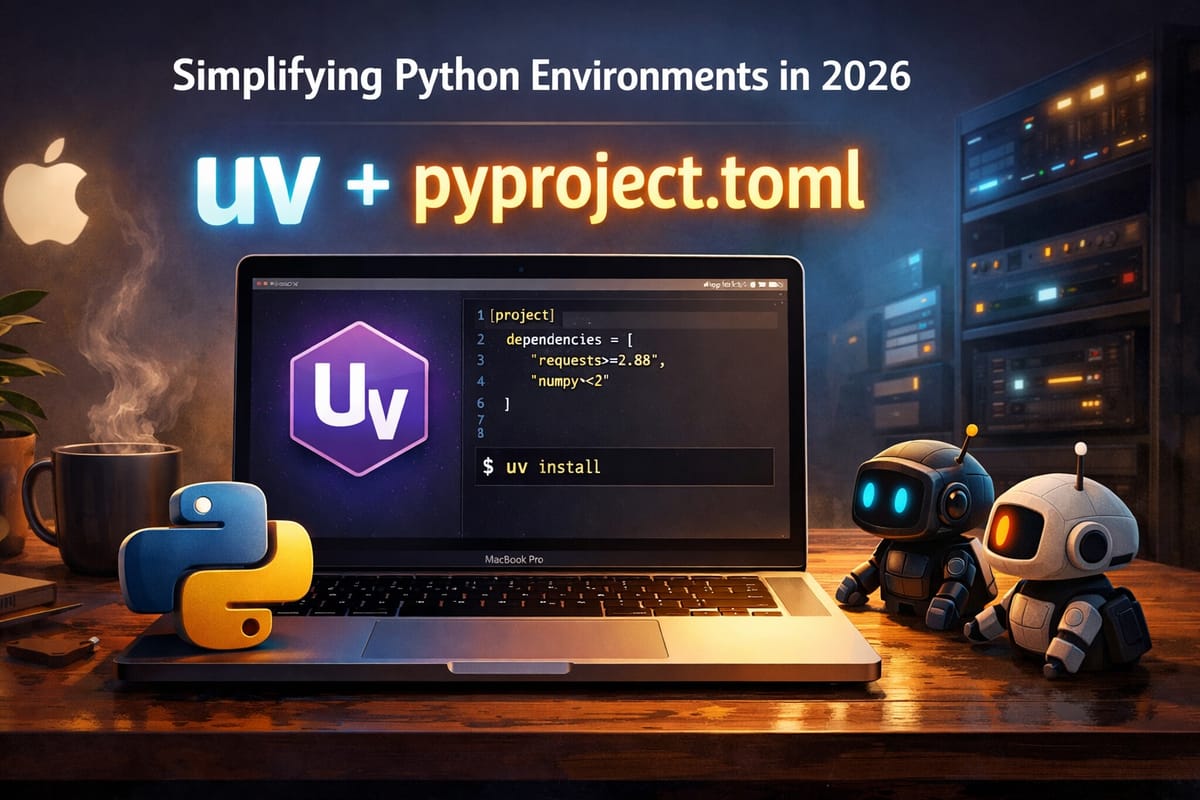
[project]
dependencies = [
  "requests>=2.28",
  "numpy<2",
]
This file represents human intent: what ranges are acceptable, what you are willing to support.
Then uv resolves it into a lockfile:
uv lockWhich generates uv.lock, a machine-written record of exact versions. You normally don’t edit it. You just commit it. That separation feels right:
- pyproject.toml for humans
- uv.lock for machines
One feature that surprised me the most was uv run. You can run Python without activating anything:
uv run python script.pyOr:
uv run pytestuv automatically uses the correct environment and installs missing dependencies if needed.
No more:
“Wait, did I activate the venv?”
“Which Python is this using?”
It just works, and it is simply the best feature of uv I love.
uv can also manage Python versions, similar to pyenv.
To see what’s available:
uv python list
To install one:
uv python install 3.11
And when creating a venv:
uv venv --python 3.11That environment is now locked to Python 3.11. No shims. No guessing.
Instead of .python-version, you rely on standards:
[project]
requires-python = ">=3.10,<3.13"
Then:
uv venvuv finds a compatible Python, installs it if necessary, and fails loudly if it can’t. That “fail loudly” part matters. It saves time. Compared to pyenv’s shell-based magic, this is much more explicit and deterministic.
Compared to Poetry, the philosophy is also very different. Poetry owns its lock format. Different Poetry versions sometimes reject older files. You end up caring about the tool version almost as much as the code.
uv does not try to own your project. Its lockfile is derived from standard metadata. If something goes wrong, you can always regenerate it from pyproject.toml. The lock is a cache of resolution, not a sacred artifact. That difference is subtle, but important. After using uv for a while, I realized why it fits my current workflow so well.
So, Where Did I End Up?
After going through all of this again, rereading my old post, wrestling with Poetry versions, dealing with broken environments, and trying uv seriously, I noticed something interesting: my setup became… simpler.
For most of the projects I touch these days, I no longer feel the need to stack tool on top of tool. I don’t reach for pyenv first. I don’t automatically think about Poetry. I don’t start by writing requirements.txt.
Most of the time, I now begin with just two things:
- pyproject.toml
- uv
And surprisingly often, that’s enough.
- It covers Python versions.
- It handles environments.
- It installs fast.
- It locks when I need it.
- It doesn’t fight me.
More importantly, it doesn’t try to “own” my workflow. It stays in the background and lets me focus on the actual work. These days, when I’m working with a coding agent, I often just say:
“Please use uv for this project.”
And in many cases, that’s all the instruction it needs.
For team projects and longer-lived services, I would add uv.lock and rely more on uv run in CI. That should give me peace of mind. Everyone is using the same environment, and there are fewer late-night surprises.
For data-heavy work, I still respect conda. Some problems are simply bigger than Python packaging. When system libraries and GPU stacks matter, conda (or micromamba) still have its place.
And for old scripts that have been running quietly for years with pip and requirements.txt? I rather leave them alone. If they’re stable, they don’t need a revolution.
What changed most for me is this: I stopped trying to build the “perfect” environment setup. Instead, I started looking for the setup that creates the least friction. In 2026, on Apple Silicon Macs, for most modern Python projects, that seems to be uv.
Especially now that coding agents are becoming part of daily work, having a clean, predictable environment matters more than ever. When the tools are simple, both humans and agents make fewer mistakes.
So if someone asked me today, “What should I start with?”, my honest answer would be:
“Probably uv and pyproject.toml. Try that first. You might be surprised how far it takes you.”
That’s my conclusion, at least for now. And knowing Python, I’m sure the ecosystem will evolve again. But this time, it feels like we’re finally getting closer to something stable. And I hope it stays that way.
Appendix: The 2026 Python Cheat Sheet: Moving to uv
|
Task |
The "Classic" Way (2023) |
The Modern Way (2026) |
Why it’s better |
|
Install Python |
pyenv install 3.12 |
uv python install 3.12 |
No shims to mess with your PATH. |
|
New Project Setup |
mkdir myproj && cd myproj python -m venv .venv |
uv init myproj cd myproj |
Sets up a standard pyproject.toml immediately. |
|
Add a Dependency |
Edit requirements.in pip-compile pip install -r requirements.txt |
uv add requests |
One command updates metadata, resolves, locks, and installs. |
|
Run a Script |
source .venv/bin/activate python main.py |
uv run main.py |
The killer feature. No need to remember to activate environments. |
|
Sync Environment |
pip-sync requirements.txt OR poetry install |
uv sync |
Ensures your .venv exactly matches the lockfile. |
|
Run a Global Tool |
pipx run ruff check . |
uvx ruff check . |
Runs tools in ephemeral, isolated sandpipes instantly. |
|
Update All |
pip-compile --upgrade OR poetry update |
uv lock --upgrade |
Fast resolution of the entire dependency graph. |